

6 materials
Resource extraction
Assign workers, exploit deposits, and balance today’s build against tomorrow’s reserves.
Start with one remote settlement. Extract raw materials, manufacture components, research technologies, trade with other commanders, and launch fleets across a persistent universe shaped by every commander's decisions.
Cosmo Crafter is fully released, not in alpha or beta. The Alpha Verse will not be reset again, so your progress is kept.
For account help, bug reports or press, see the contact page.
Each round of play follows the same five steps. What you launch or sell in one round pays for the next.
Assign workers to deposits and secure the raw materials your plans will consume.
Transform raw stock into predictable components with recipes you can plan around.
Expand infrastructure and unlock the capabilities required by later projects.
Launch missions, defend settlements, and trade reserves that exceed your plans.
Use reconnaissance, mission returns, and trade income to choose the next upgrade.
Screens from a demo settlement, captured between 14 and 16 November 2026 at desktop and phone width.
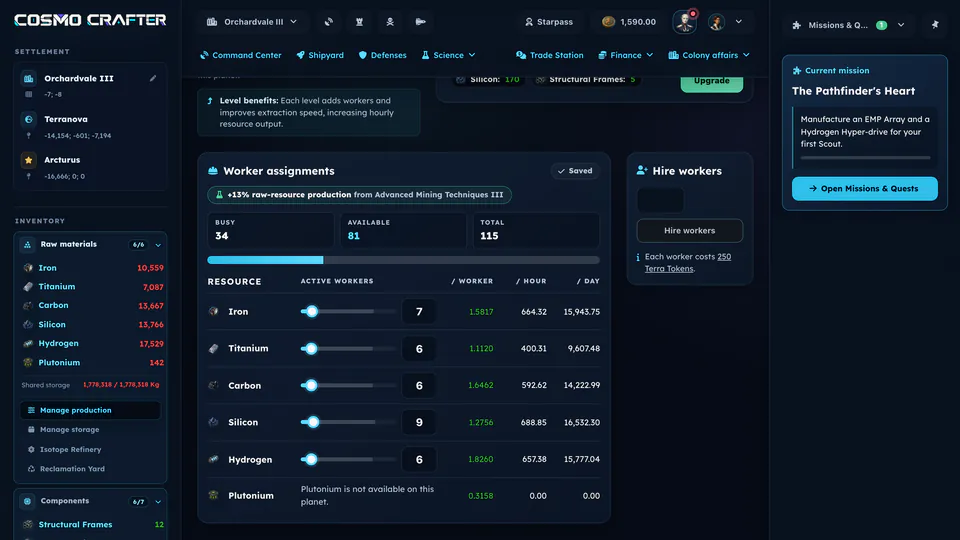
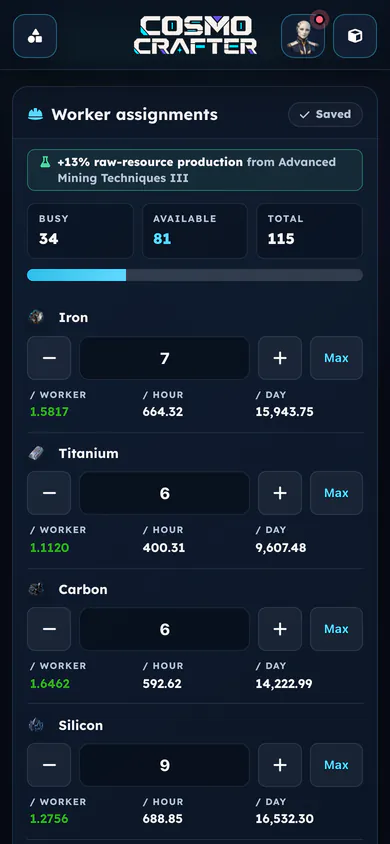
01 Mine
Assign workers to each material your planet holds. The table shows what they extract per worker, per hour and per day.
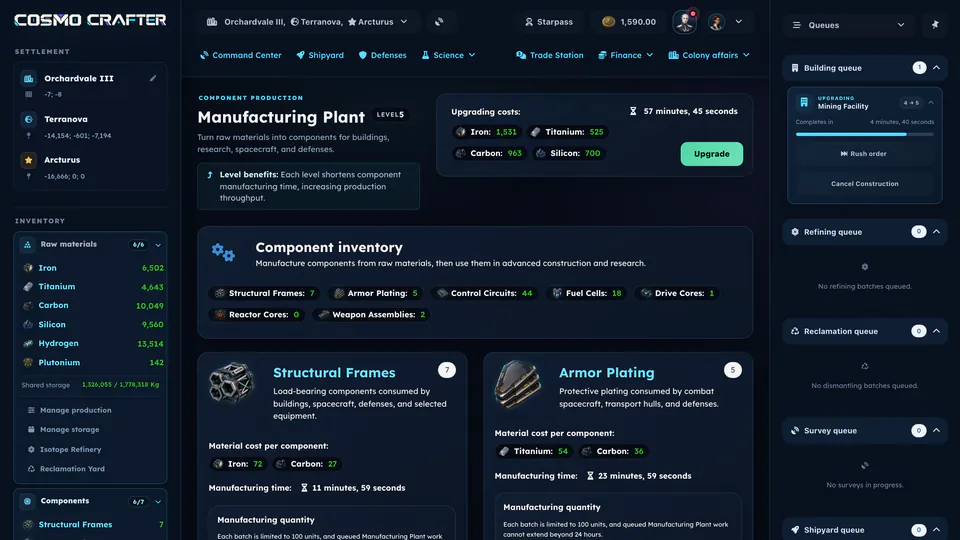
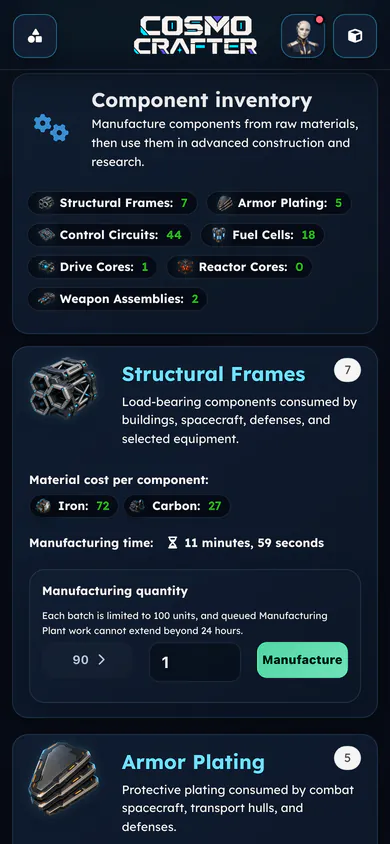
02 Manufacture
Each component lists its material cost and manufacturing time. You queue batches of up to 100 units.
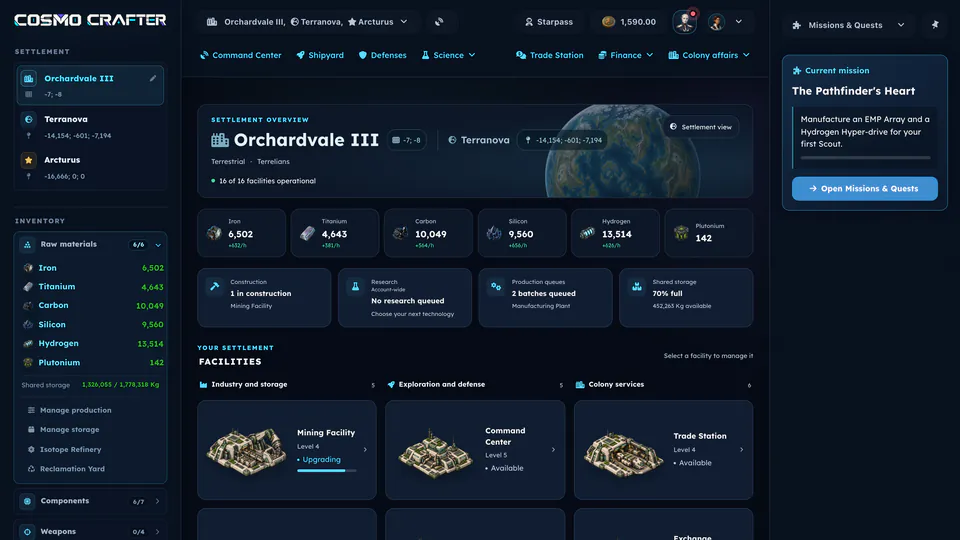
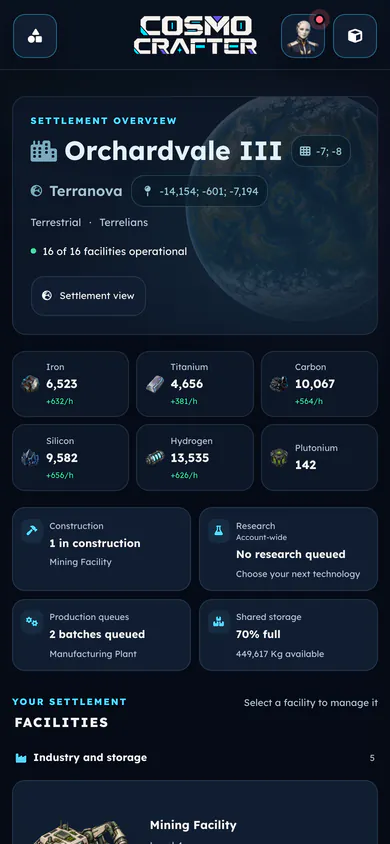
03 Build or research
Stock, open queues and every facility of the settlement on one screen. Open a facility to build or upgrade it.
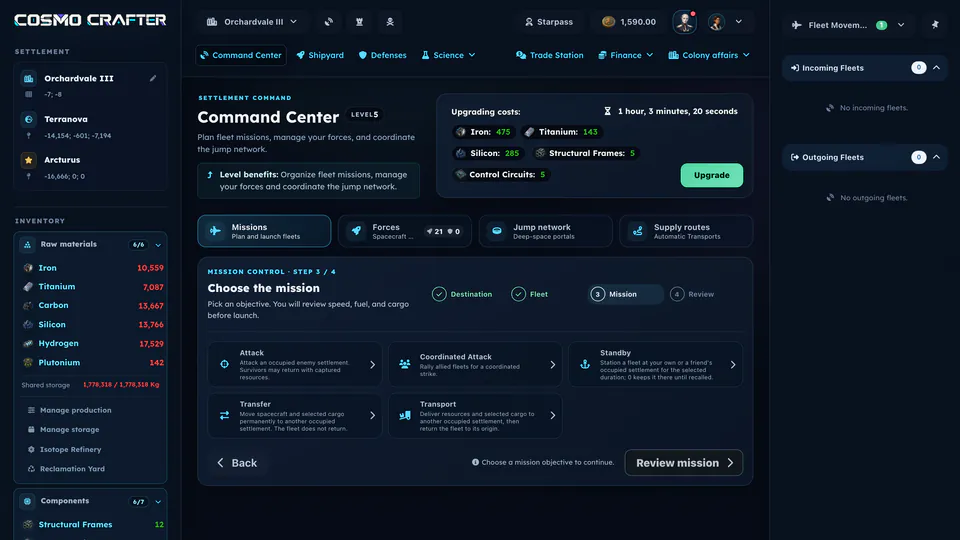
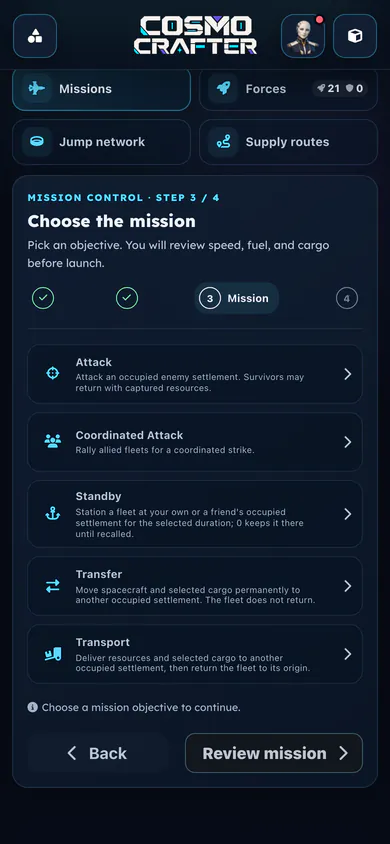
04 Deploy
Set the destination, pick the fleet, then choose the objective. The last step shows fuel and travel time before launch.
05 Reinvest
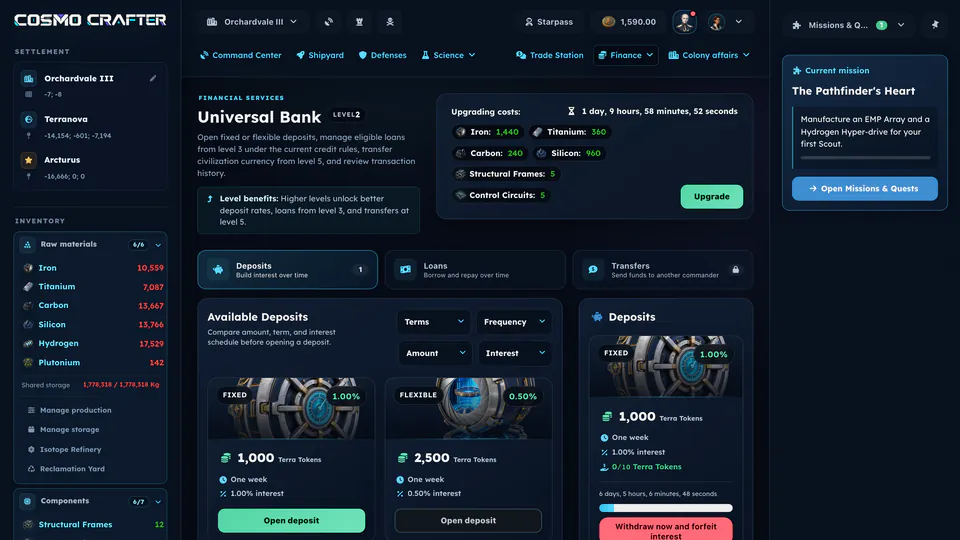
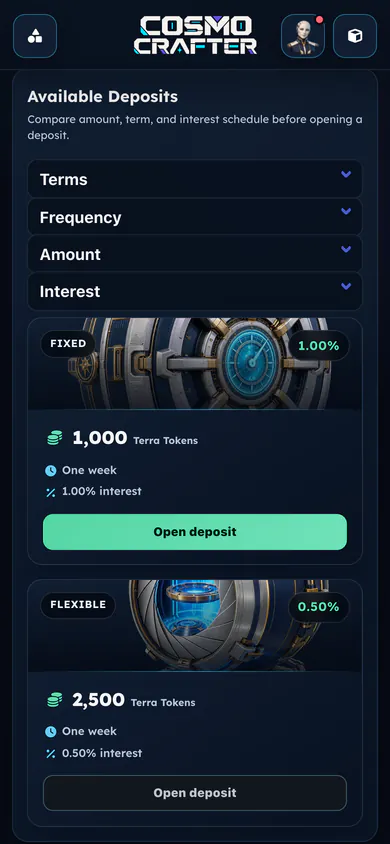
Put spare currency into a fixed or flexible deposit that earns interest over a set term.
Each building opens one part of the game, and research makes it cheaper, faster or stronger. Fleets, the market, treaties and defenses are how you deal with other commanders.
Assign workers, exploit deposits, and balance today’s build against tomorrow’s reserves.

Turn raw materials into the frames, circuits, cores, cells, plating, and weapons advanced projects require.

Navigate 63 connected technologies spanning industry, exploration, combat, trade, and diplomacy.

Build civilization-specific Scouts, Fighters, Freighters, Battleships, Colony Ships, and Mining Vessels.

Buy, sell, and request raw materials, components, equipment, spacecraft, and defenses as each market tier unlocks.

Propose treaties with explicit durations, obligations, and penalties, then accept, decline, or revoke them.
Campaigns, council goals, deep-space opportunities, and the services that keep an empire running. Each one is live in the game today, with its exact rules in the Field Manual.
From Spy and Transport to Colonize and Destroy, every mission has its own fleet, target, and research rules.
A chain of story missions on the Missions & Quests screen teaches one system at a time and rewards each step.
3 daily and 1 weekly goals from your civilization’s council, with rewards and cosmetic titles.
Artifact hunts, collective builds, boss battles, and Infinity Battles that commanders join with a fleet.
Temporary deposits that cross published waypoints. Arrive inside the window with Mining Vessels to share the stock.
Build up to 3 portals in deep space, keep them fueled, and jump fleets between them.
Up to 5 standing Transport orders that keep resources moving between your own settlements.
Your first 4 settlements are free. Each later one needs a charter, paid when the Colonize mission launches.
Deposits that earn interest, and loans repaid in installments against your credit score.
Convert currencies at live rates that follow each currency’s circulating supply.
Step-by-step tutorials inside the game, from the core loop to jump portals and events.
An in-game assistant who reads your empire and the rules, then prepares actions you confirm.
Fixed coordinates, fuel, travel time, storage and finite deposits decide which destinations are worth a fleet.
Worlds occupy real positions. Where you settle changes what is close, costly, and strategically possible.
Fleet velocity and fuel consumption make route planning part of every mission.
Construction, research, manufacturing, and fleet travel continue in a persistent universe.
Trade, alliances, rivalries, and shared space make other commanders part of every long-term plan.
The game’s balance file sets a target time for each of these steps, counted from a new account. They are design goals for the balance, so your own times will vary.
A successful Spy mission ends Chapter 1 of the story campaign and unlocks Chapter 2.
Defense Works and a first Turret protect the settlement. The Trade Station opens the market to other commanders.
Empire Expansion I allows a second settlement on your home planet. The research alone takes 48 hours.
Fighters are the core of an attacking fleet. Quantum-drives shorten long trips through deep space.
Slow, heavily armed capital ships. A Destroy mission needs at least one.
Read the Commander’s Guide for the first launch, step by step
The Field Manual lists the exact costs, recipes and requirements of every building, technology and spacecraft.
Browser-based · No download · Persistent universe